


Information Technology (IT), in collaboration with our softphone provider, is transitioning the SMS text messaging feature associated with Microsoft Teams softphone numbers to a new platform, YakChat. This change is necessary due to the current messaging application being discontinued by our provider Thursday, Dec. 18. You will only need to act if you are assigned a softphone number.
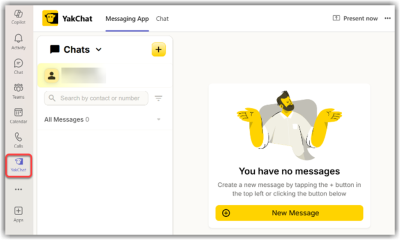
YakChat messaging will be available within the Microsoft Teams app. Employees with softphone numbers will be required to add the YakChat app to Microsoft Teams after Dec. 19.
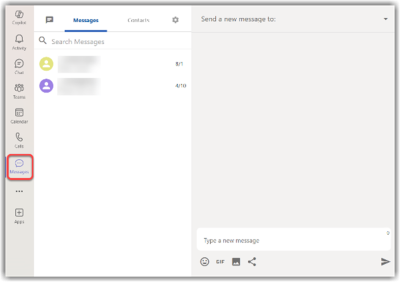
The screenshots below show how the messaging feature currently appears in Microsoft Teams and how the new YakChat messaging will appear.
Legacy Messaging in Microsoft Teams
New YakChat Messaging in Microsoft Teams
The transition to YakChat will not change how employees with softphone numbers make or receive calls in Microsoft Teams. Employees may continue to provide their softphone numbers to students and other contacts as usual. Students and contacts will not need to adjust how they send text messages to softphone numbers.
Action required for softphone users
- Confirm you are a softphone user by locating your number via Microsoft Teams.
- Add the YakChat app to Microsoft Teams.
If you have any questions, contact the Helpdesk at:
- Web: http://helpdesk.ggc.edu
- Email: helpdesk [at] ggc.edu (helpdesk[at]ggc[dot]edu)
- Phone: 678.407.5611